Meet ZenFlow: A Minimalist Pomodoro & Soundscape Extension
There is no shortage of Pomodoro timers on the Chrome Web Store. However, after trying dozens of them, I kept running into the same frustrating patterns: they were either bloated with unnecessary trackers, riddled with ads, or required a premium subscription just to play basic ambient sounds.
I wanted something specific: a clean, aesthetic, and functional environment that opens automatically in a New Tab, helping me drop into a state of deep work instantly without friction.
Since I couldn't find exactly what I wanted, I built it. Meet ZenFlow.
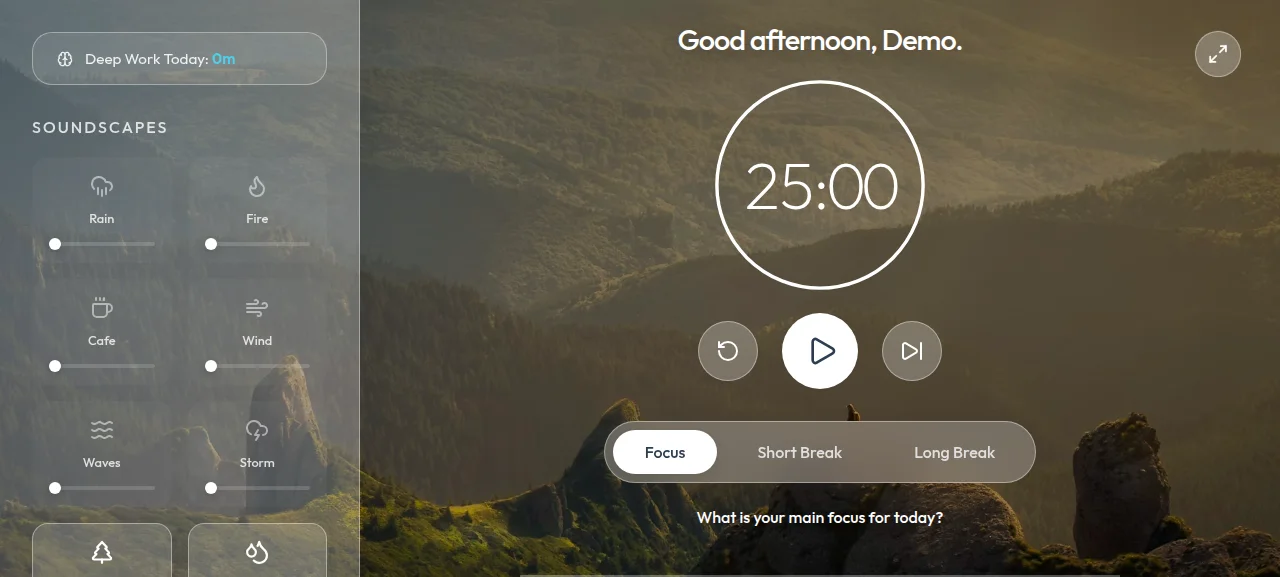
Designed for Deep Work
The concept behind ZenFlow is simple: replace your empty New Tab page with a serene environment. It combines a smart Pomodoro timer with an immersive ambient audio engine.
Instead of opening another tab for a "Lofi Girl" stream or Spotify focus playlist, ZenFlow natively provides high-fidelity soundscapes (forests, rivers, rain, cafes, and fire) that you can mix yourself.
Features That Make a Difference:
- Auto-Syncing Audio: The magic happens in the transitions. When you hit play to start focusing, your custom ambient mix fades in elegantly. When you pause or switch to a break phase, it smoothly fades out, letting you handle interruptions in silence.
- Goal Setting: Every morning, the dashboard asks for your "Main Focus". You set one critical intention for the day, keeping it front and center.
- Aesthetic Glassmorphism: A dynamic, fullscreen interface that looks gorgeous on any monitor size without distracting you.
Building tools for your own daily workflow is one of the most rewarding parts of being a software engineer. ZenFlow has already helped me log more deep work hours, and I hope it helps you too.
ZenFlow is completely open-source and free. You can grab the latest release from the GitHub repository.
(If you're curious about how I built the audio engine and managed React state inside a Chrome Extension, check out my technical breakdown in Part 2).